
اپلیکیشن تَسکینو
تسکینو اپلیکیشن هوشمند مدیریت کارهاست که به شما امکان برنامه ریزی، سازماندهی و کنترل فعالیت های شخصی، تیمی و سازمانی را می دهد. با تسکینو می توانید وظایف را ایجاد و دسته بندی کنید، پروژهها و اهداف را پیش ببرید، سررسید ها و یادآورها را تنظیم کنید و وظایف و فعالیت ها را با دیگران به اشتراک بگذارید. رابط کاربری ساده، امکانات کاربردی و قابلیت های انعطاف پذیر تسکینو، بهره وری روزانه شما را افزایش داده و مدیریت وظایف و پروژه ها را به تجربه ای آسان و مؤثر تبدیل می کند.
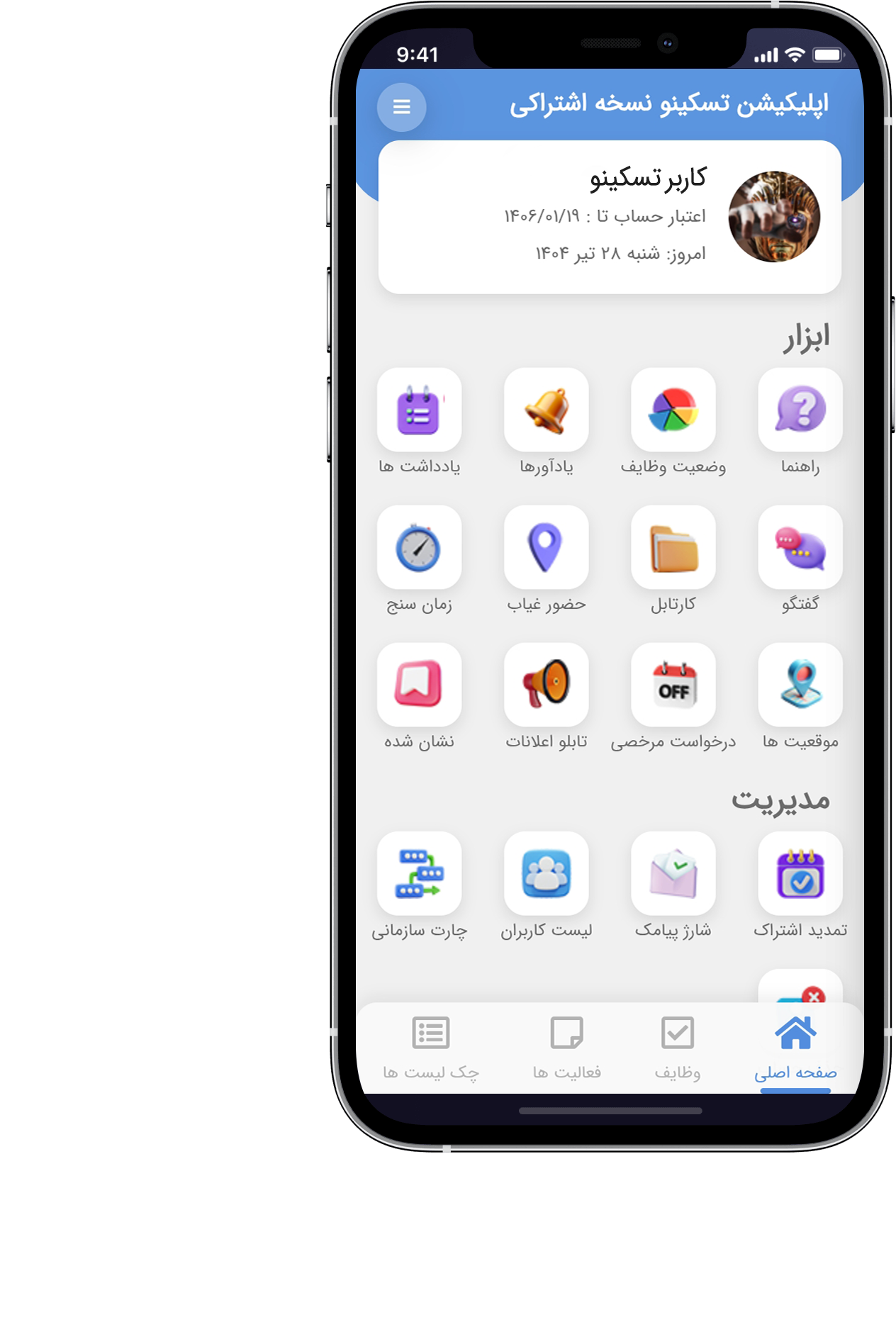
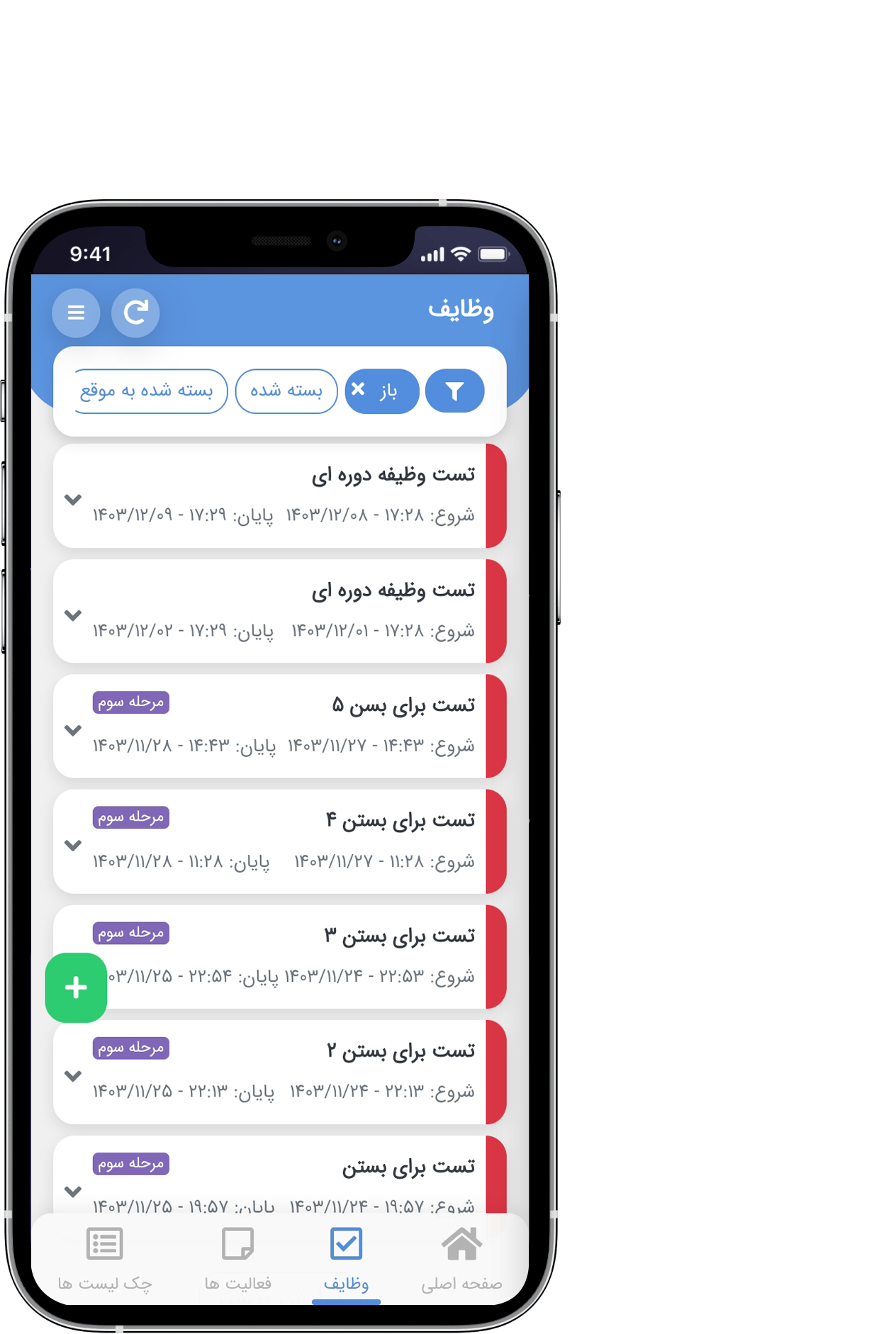
کاربران گرامی تسکینو
چنانچه با آدرس ایمیل ثبت نامی خود مشکل دارید و ایمیل های اطلاع رسانی تسکینو را دریافت نمی کنید، می توانید از سرویس رایگان mail.ir برای ساخت آدرس ایمیل جدید استفاده کرده و با آن در تسکینو ثبت نام کنید.
اطلاعات بیشتربرنامه ریزی هوشمند با اپلیکیشن تَسکینو
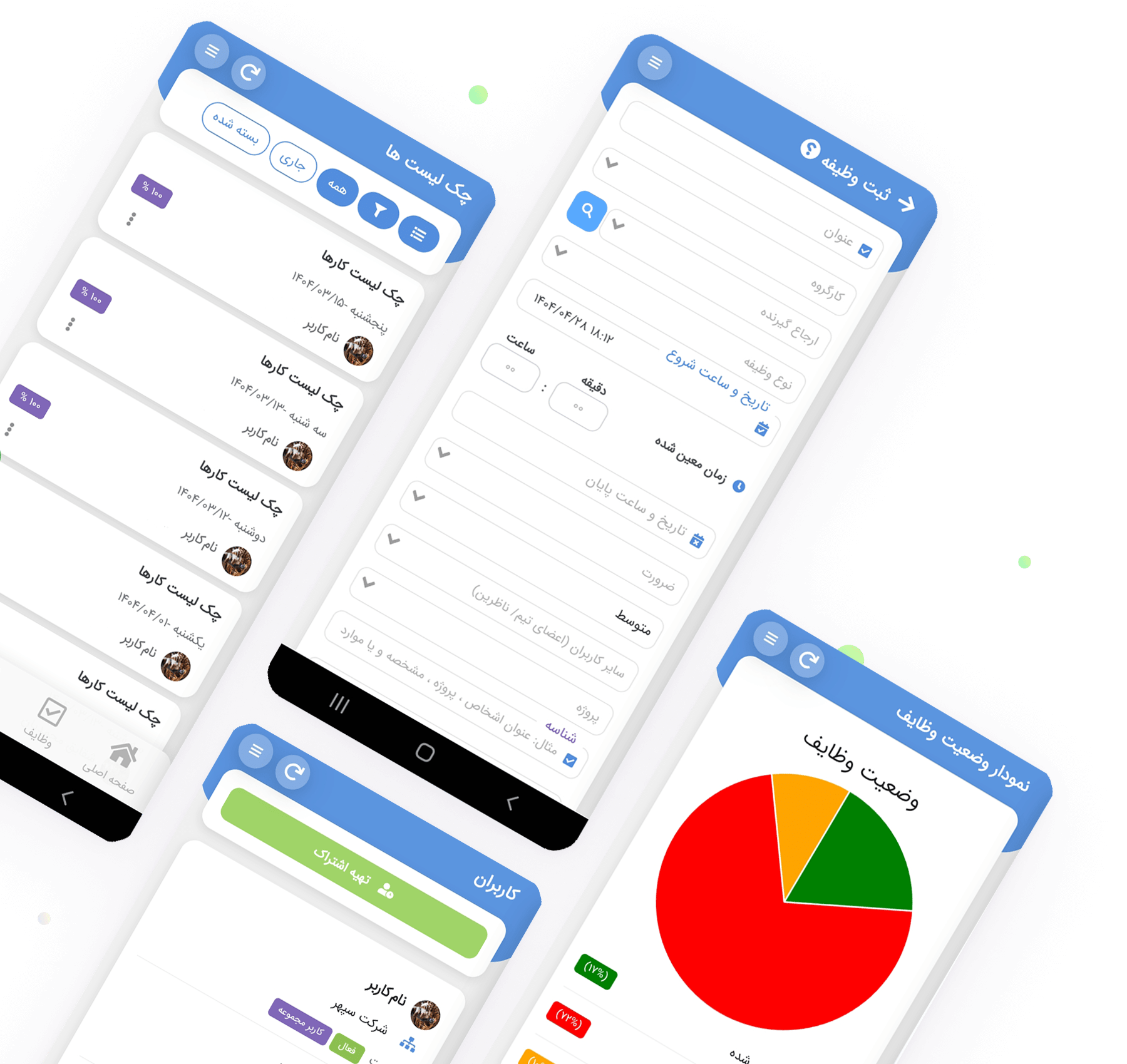
داشتن برنامه ریزی هدفمند و هوشمندانه، مهمترین اصل مدیریت وظایف و کارهای روزانه میباشد. با اپلیکیشن تَسکینو برنامه ریزی روزانه شما همیشه و همه جا در دستان شماست و می توانید با مدیریت دقیق زمان، تمام کارهای خود را به نحو احسن طبق برنامه ریزی انجام دهید. تَسکینو، اپلیکیشن برنامه ریزی و مدیریت وظایف، در سه نسخه اندروید، ios و نسخه وب مخصوص دسکتاپ ارائه شده است. تَسکینو امکان برنامه ریزی، مدیریت وظایف و فعالیت ها، ثبت وظیفه و ارجاع به اعضای تیم، نظارت بر روند پیشرفت وظایف و ... را به راحتی و به صورت آنلاین فراهم می نماید.
سازماندهی وظایف و کارها
نظمدهی به فعالیتها، اولویتبندی وظایف، کاهش آشفتگی ذهنی، و تسهیل پیگیری امور
مدیریت زمان و برنامهریزی مؤثر
برنامهریزی دقیق برای استفاده بهینه از زمان، اجتناب از تداخل فعالیتها، و افزایش تمرکز
پایش روند پیشرفت وظایف و انجام کارها
ثبت پیشرفت، تحلیل عملکرد، ایجاد حس موفقیت و حفظ انگیزه در مسیر اهداف
کاهش احتمال فراموشی وظایف مهم
یادآوری های دقیق و زمان بندی شده برای انجام بهموقع امور و جلوگیری از خطاهای انسانی

دانلود اپلیکیشن تَسکینو
دانلود نسخه اصلی و کامل تَسکینو
برای دریافت مستقیم فایل نصب نسخه اندروید اپلیکیشن روی دکمه اندروید و پس از اتمام دانلود روی دکمه install کلیک کنید
نصب اپلیکیشن در iOS
با استفاده از مرورگر safari و امکان add to home screen اپلیکیشن تَسکینو را در سیستم عامل های ios راه اندازی نمایید
نسخه وب مخصوص دسکتاپ
اپلیکیشن تَسکینو به صورت نسخه وب مخصوص دسکتاپ از طریق مراجعه به آدرس https://web.taskinoapp.com در دسترس می باشد
تعرفه قیمت اشتراک اپلیکیشن تَسکینو
اگر تعداد اعضای تیم شما بیش از ۱۰ نفر است یا قصد دارید در آینده تیم خود را گسترش دهید، پیشنهاد میکنیم از نسخه سازمانی تسکینو استفاده کنید. نسخه سازمانی با امکانات گسترده تر، ابزارهای مدیریتی پیشرفته و قابلیت های اختصاصی، برای پاسخ گویی به نیازهای سازمان ها و تیم های بزرگ طراحی شده است و مدیریت پروژه ها، کاربران و همکاری تیمی را ساده تر، سریع تر و کارآمدتر می کند. برای دریافت مشاوره و آشنایی با امکانات نسخه سازمانی تسکینو، با کارشناسان واحد فروش در ارتباط باشید.
ماهانه فقط 65 هزار تومان
اشتراک 1 ساله
به ازای هر کاربر
%50 تخفیف ویژه
نصف قیمت خرید ماهانه
ماهانه فقط 90 هزار تومان
اشتراک 6 ماهه
به ازای هر کاربر
%31 تخفیف ویژه
اقتصادی تر از خرید ماهانه
اشتراک 1 ماهه
به ازای هر کاربر
130
هزار تومان
ویدیوهای معرفی اپلیکیشن تَسکینو
برای آشنایی بیشتر با محیط و امکانات و قابلیت های اپلیکیشن تَسکینو ویدیوهای زیر را مشاهده نمایید.
آشنایی با محیط اپلیکیشن تسکینو
اپلیکیشن تَسکینو ابزاری کاربردی برای برنامه ریزی و مدیریت وظایف و فعالیت ها میباشد. در تَسکینو امکان ثبت و ارجاع وظایف همراه با تعیین زمانبندی و پیگیری روند انجام وظایف محوله به کاربران، ثبت گزارش کار روزانه و ... ارائه شده است.
امکانات رایگان اپلیکیشن تسکینو
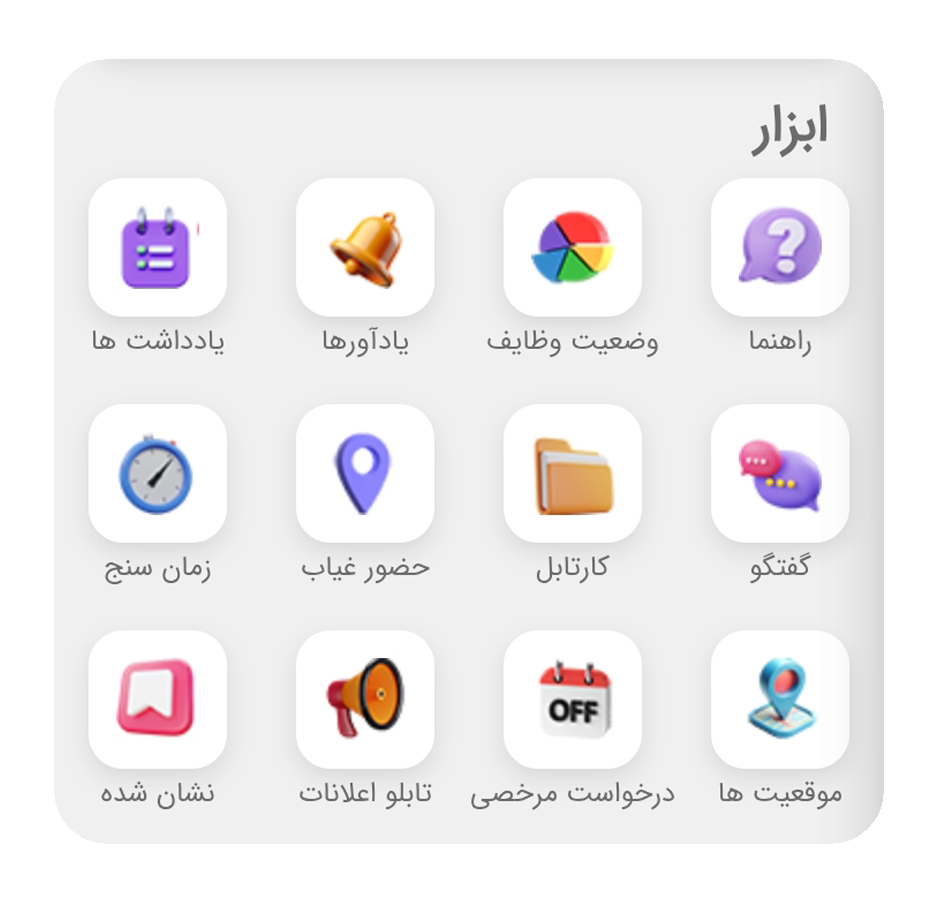
در نسخه رایگان اپلیکیشن تَسکینو، امکان ثبت فعالیتها و گزارش کار روزانه، ثبت حضور و غیاب و موقعیت مکانی به صورت آنلاین و ثبت یادداشت ها ارائه شده است و استفاده از این امکانات نیازی به تهیه یا تمدید اشتراک ندارد.
چرخه وظایف در اپلیکیشن تسکینو
چرخه وظایف در اپلیکیشن تَسکینو با صدور وظیفه آغاز و با ثبت موارد و کارهای انجام گرفته روی وظیفه به عنوان پیگیری ادامه پیدا می کند و پس بررسی و تایید درخواست بستن توسط ثبت کننده وظیفه پایان مییابد.
دانلود، نصب و راه اندازی و ثبت نام در نسخه اصلی و غیر رایگان تسکینو
درنسخه رایگان اپلیکیشن تسکینو (دانلود از بازار و مایکت)، امکان خرید اشتراک و یا هرگونه پرداختی مقدور نمی باشد. جهت خرید اشتراک می بایست نسخه رسمی و غیر رایگان تسکینو را دانلود و نصب نمایید. برای آشنایی بیشتر با نحوه دانلود نسخه رسمی اپلیکیشن تَسکینو ویدیوی زیر را مشاهده نمایید.
مدیریت کاربران، چارت سازمانی و پیامک های اطلاع رسانی در اپلیکیشن تسکینو
امکان مدیریت کاربران شامل تعیین سطح دسترسی ها بر اساس نقش هر فرد و همچنین مدیریت چارت سازمانی در اپلیکیشن تسکینو فراهم شده است. همچنین می توانید اعلانات و پیامک های اطلاع رسانی را به صورت هدفمند مدیریت کنید تا اطلاع رسانی ها دقیق تر و هماهنگ تر انجام شوند.
ارزیابی کارکنان در اپلیکیشن تسکینو
تا حالا شده بخواهید پرسنل و اعضای تیم کاری یا حتی مدیران میانی تیم را ارزیابی کنید؟ سیستمی دارید که فرایند ارزیابی پرسنل را به راحتی در اختیارتان قرار دهد؟ اپلیکیشن تسکینو این امکان را برای شما فراهم کرده. با ما همراه باشید.
ویژگی زمانسنج | تایمر در اپلیکیشن تسکینو
با استفاده از ویژگی زمانسج در اپلیکیشن تسکینو چندین تایمر مختلف برای کارهای مختلف ایجاد و پس از اتمام، هر تایمر را به صورت مجزا به همراه جزئیات به فعالیت و گزارش کار روزانه تبدیل کنید. برای آشنایی با ویژگی زمانسج اپلیکیشن تسکینو ویدیوی زیر را مشاهده نمایید.
ویژگی زمانسنج | تایمر در تسکینو نسخه وب (دسکتاپ)
ویژگی زمانسج در نسخه وب مخصوص دسکتاپ اپلیکیشن تسکینو نیز ارائه شده است. این ویژگی امکان زمانسنجی دقیق فعالیت ها و بهینه سازی مدیریت زمان را در اختیار کاربران قرار می دهد. برای آشنایی با ویژگی زمانسج در نسخه وب تسکینو ویدیوی زیر را مشاهده نمایید.
درآمد زایی از تسکینو، معرفی کیف پول و شرایط برداشت وجه نقد از تسکینو
گاهی به این فکر میافتیم که چطور میشه از وقتهای آزاد روزمره بهتر استفاده کرد. خیلی از ما به دنبال راهی هستیم برای داشتن یک شغل دوم و کسب درآمد بدون اینکه سرمایه گذاری خاصی نیاز باشه. فقط با یک گوشی موبایل و بدون اینکه نیاز باشه رفت و آمد خاصی به جایی داشت، حتی از خونه یا هرجا و مکانی که حضور داریم. اپلیکیشن تسکینو با معرفی کیف پول تسکینو امکان کسب درآمد اینترنتی رو برای کاربرانش فراهم کرده؛ اپلیکیشنی که فقط برای برنامهریزی روزانه ساخته نشده، بلکه فرصتیه برای شروع یک مدل تازه از کسب درآمد اینترنتی.

کیف پول تسکینو چطوری کار میکنه؟
موضوع از اونجایی شروع شد که تسکینو یه ویژگی جدید به نام کیف پول تسکینو اضافه کرد. خیلی راحت توضیحش اینه که اگه دوستی رو به تسکینو دعوت کنی و اون موقع ثبتنام کدت رو بزنه هر خریدی که اون دوستت انجام بده ۱۵٪ از مبلغش تو کیف پول تو میره. نه فقط یه بار هر بار که خرید میکنه درصدش به تو میرسه. بدون نیاز به پیگیری یا اطلاع دادن همه چیز اتوماتیک انجام میشه.
این یه جور درآمد اینترنتی با معرفی اپلیکیشن محسوب میشه که نیاز به هیچ هزینه یا مهارتی هم نداره. فقط کافیه از اپ استفاده کنی و اون رو به اطرافیانت معرفی کنی.
فقط خرید درونبرنامهای نیست پول واقعی میگیری
اینجاست که داستان جذابتر میشه. خیلی از اپلیکیشنها ممکنه چیزی شبیه به این داشته باشن ولی معمولاً اون پاداشها فقط برای خرید اشتراکهای دیگه داخل خود همون اپ قابل استفاده است اما تسکینو فرق داره. پولی که توی کیف پول تسکینو جمع میشه واقعاً پول خودته. میتونی بدون محدودیت اون رو به حساب بانکیات منتقل کنی. فقط کافیه از طریق نسخه دسکتاپ درخواست برداشت بزنی و بعد از احراز هویت و ثبت شماره کارت مستقیم تو حسابت بریزه.
به قول یکی از کاربران قدیمی تسکینو من وقتی برای اولین بار دیدم که پول واقعاً به حسابم اومد تازه باورم شد که این یه فرصت واقعیه نه یه ترفند تبلیغاتی!
چطوری با کد معرف تسکینو کسب درآمد کنیم؟
همه چیز از لحظهای شروع میشه که توی تسکینو ثبتنام میکنی. شماره موبایل یا ایمیلی که باهاش ثبتنام کردی خودش کد معرفت میشه. بعد از اون هر وقت دوستت رو دعوت کنی و اون این کد رو موقع ثبتنام بزنه این اتصال برقرار میشه. از اون به بعد هر تراکنش اون کاربر بخشی از سودش به تو میرسه.
خیلیها از همین روش استفاده کردن و الان یه منبع درآمد کوچیک اما پیوسته دارند. نه نیازی به یادگیری برنامهنویسی داری نه بازاریابی حرفهای فقط تجربه واقعی خودت از اپلیکیشن رو با دیگران به اشتراک میذاری. دقیقاً مثل وقتی که یه رستوران خوب رو به دوستت معرفی میکنی.
برداشت وجه از کیف پول تسکینو چطوری انجام میشه؟
تا اینجا پول توی کیف پول تسکینو جمع شده حالا وقت نقد کردنشه. از طریق نسخه دسکتاپ اپ وارد حساب کاربریات میشی. بعد از تکمیل احراز هویت فقط کافیه شماره شبای بانکیت رو وارد کنی و درخواست برداشت بزنی. تسویه حسابها تو بازههای مشخص انجام میشه و مبلغ مستقیم میره توی حسابت. همه چیز ساده و شفافه مثل یه تراکنش بانکی معمولی که انجام میشه.
چرا درآمد اینترنتی با تسکینو منطقیتره؟
سایتها و اپهای زیادی هستن که وعدهی کسب درآمد اینترنتی با گوشی میدن. اما اکثرشون یا وقت زیادی میگیرن یا آخرش چیزی نصیبت نمیشه. فرق تسکینو با بقیه اینه که از قبل یه اپ مفید و پرکاربرده. مردم همین الان دارن ازش برای برنامهریزی کارهای روزانه مدیریت تیم و وظایفشون استفاده میکنن. تو فقط یه پل واسطهای که اونها رو آشنا میکنی و از این ارتباط سود میبری.
تو این روش هیچ چیزی از کسی کم نمیشه و هیچ ریسکی وجود نداره. نه تو هزینهای میدی نه کاربر معرفیشده متضرر میشه و کاملاً برد برده.
چجوری بیشتر از کیف پول تسکینو درآمد داشته باشیم؟
خیلیها فقط یه بار کد معرفشون رو میفرستن و بعد ولش میکنن. اما اگه دنبال اینی که از همین فرصت ساده یه درآمد اینترنتی پایدار با موبایل دربیاری لازمه یه کم باهوشتر عمل کنی. مثلاً میتونی کارهای زیر رو انجام بدی:
- لینک معرفی رو توی بیو اینستاگرامت بذار.
- اگه توی واتساپ یا تلگرام گروه خانوادگی یا کاری داری اپلیکیشن رو معرفی کن و از تجربهت بگو.
- یه استوری بزار از اینکه با تسکینو چطور کاراتو مدیریت میکنی و انتهای استوری کدت رو بنویس.
- توی توییتر یا پست بلاگت درباره قابلیتهای کاربردی اپ بنویس مثلاً چک لیستها، ارجاع وظایف یا ثبت لوکیشن.
- هر وقت کسی بهت گفت یه اپ برای مدیریت کارها میخواد به جای معرفی یه اسم ساده لینک خودت رو بده.
مهمترین نکته اینه که وقتی از یه چیزی استفاده میکنی و ازش نتیجه گرفتی معرفی کردنش راحتتر میشه. چون با صداقت حرف میزنی و همین باعث میشه آدمها اعتماد کنن و واقعا از لینک تو استفاده کنن.
کسب درآمد اینترنتی بدون سرمایه اولیه واقعی است!
قبلاً شاید تصور درآمد اینترنتی بدون سرمایه بیشتر شبیه رویا بود. خیلی از سایتهایی که این وعده رو میدادن یا وقتت رو تلف میکردن یا توش گیر میافتادی و آخرش هیچی گیرت نمیاومد. ولی الان با چیزی مثل تسکینو این فرصت واقعی شده. یه اپ کاربردی برای همه از دانشآموز گرفته تا مدیر شرکت که میتونند از اون درآمد داشته باشند.
تو نه نیاز داری دنبال مشتری باشی نه باید محصول بفروشی نه بخوای روزی ۵ ساعت وقت بذاری برای پر کردن فرم یا روی تبلیغ کلیک کردن. فقط کافیه تسکینو رو بشناسی ازش استفاده کنی و تجربهت رو با دیگران به اشتراک بذاری.
درآمد واقعی از دعوت بدون پیچیدگی
فرض کن فقط ۵ نفر رو دعوت کنی و هر کدوم از اونها ماهی ۱۰۰ هزار تومن اشتراک بخرن. سهم تو از هر نفر میشه ۱۵ هزار تومن. یعنی تو یه ماه بدون اینکه کاری بکنی ۷۵ هزار تومن اومده تو حسابت. اگه این عدد بشه ۲۰ نفر ۳۰ نفر یا بیشتر میتونی به درآمدی برسی که واقعاً برات بهصرفه باشه و این فقط اولشه. با معرفی بیشتر و فعال شدن آدمهای جدید عددها بزرگتر میشن. چیزی که توی کیف پول تسکینو جمع میکنی توی واقعیت تبدیل به پول نقد قابل برداشت و خرج میشه.
چند تا ویژگی دیگه از اپ که کارتو راحتتر میکنه
برای اینکه دوستانت بیشتر جذب بشن خوبه با بعضی از قابلیتهای کاربردی خود اپ هم آشنا باشی:
- چکلیست روزانه و درصد پیشرفت وظایف
- امکان ثبت یادداشت صوتی با تبدیل به متن
- مدیریت تیم کاری ارجاع وظیفه پیگیری و گزارشگیری
- نسخه مخصوص iOS و دسکتاپ بدون نیاز به نصب مستقیم
- کارکرد بدون اینترنت جهانی به خاطر اجرای روی شبکه ملی
- امکان حضور و غیاب با موقعیت مکانی دقیق
همه این امکانات باعث میشن آدمها بیشتر توی اپ بمونن اشتراک بگیرن و تو از هر بار خریدشون سود ببری.
چطوری اعتماد بقیه رو جلب کنیم تا با کد معرف تسکینو ثبتنام کنن؟
خیلیها وقتی حرف از معرفی یه اپلیکیشن یا کد معرف میشنون یه قدم عقب میکشن. چون فکر میکنن قراره گول بخورن یا چیزی ازشون کم بشه؛ اینجاست که نقش تو مهم میشه. اگه خودت واقعاً از اپ استفاده کرده باشی و یه تجربه واقعی و ساده داشته باشی وقتی تعریف میکنی لحن حرفهات فرق میکنه. آدمها این رو حس میکنن.
مثلاً میتونی بگی من همیشه یادم میرفت فلان کارو انجام بدم تا اینکه این اپ تسکینو رو نصب کردم. خیلی ساده برام یادآور گذاشت و حتی با صدا تونستم وظایفم رو ثبت کنم. تازه الان هم از طریقش دارم درآمد میگیرم. اگه خواستی نصبش کنی اینم کد معرفمه باهاش ثبتنام کن یه درصدی هم به من میرسه.
بدون اغراق و بدون وعده دروغ فقط یه تجربه واقعی رو انتقال دادی. اینطوری کسی احساس نمیکنه داری چیزی بهش میفروشی یا تحت فشارش میذاری.
راهکار برای اینکه معرفی تسکینو تبدیل به یه جریان درآمدی دائمی بشه
اگه واقعاً بخوای از تسکینو یه درآمد خوب دربیاری باید بهش مثل یه پروژه کوچیک نگاه کنی. یعنی یه بار معرفی کردن کافی نیست باید یه مدل برای خودت بچینی.
مثلاً یه دفترچه درست کن یا یه فایل اکسل که توش بنویسی به کی معرفی کردی، کی ثبتنام کرده و کی خرید انجام داده. یه بار در هفته به اونایی که هنوز ثبتنام نکردن یه یادآوری ساده بفرست. نه با اصرار فقط با یه جمله کوتاه که اونم هست: اگه هنوز دنبال یه راه خوب برای نظم دادن به کارات هستی اون اپی که گفتم رو تست کن. یه مدت رایگانه بعدش هم با قیمت خیلی پایین میتونی ادامه بدی.
اگه اهل شبکههای اجتماعی هستی محتوای خودت رو بساز. مثلاً نشون بده چطور با تسکینو وظایفت رو مدیریت میکنی یا چطوری با تیمت برنامهریزی میکنی. هر چی واقعیتر بهتر و سریعتر به درآمد میرسی.
نتیجهگیری
مهم نیست تو چه شغلی هستی چند سالته یا حتی چقدر سرت شلوغه. اگه دنبال یه راه واقعی برای درآمدزایی با موبایل هستی راهش همینجا است. با نصب تسکینو هم از یه برنامهریز قوی استفاده میکنی، هم میتونی یه منبع درآمد کنارت داشته باشی که همواره میتونه برات سودده باشه. پولی که توی کیف پول تسکینو جمع میکنی نه فقط برای خرج کردن داخل اپ هست بلکه میتونی هر وقت خواستی نقدش کنی و به حسابت منتقل کنی.
پس اگه اهل برنامهریزی هستی و دنبال یه راه مطمئن برای کسب درآمد اینترنتی واقعی از همین الان وارد دنیای تسکینو شو.
ضرورت برنامه ریزی برای مدیریت وظایف و کارها
برنامه ریزی تضمین می کند که در مسیر اهداف خود قرار دارید. برنامه ریزی همچنین چهارچوبی را برای تصمیم گیری آگاهانه فراهم می کند. در نهایت، برنامه ریزی منجر به تمرکز و هدایت انرژی شخصی خواهد شد. برنامه ریزی به شما امکان می دهد کارها و وظایف خود را اولویت بندی کنید، کارهای بیشتری را در زمان کمتر انجام دهید، به شما کمک می کند تا وظایف و کارهای خود را با بهترین کیفیت انجام دهید و نظم و انضباط را حفظ کنید. برنامه ریزی صحیح و هدفمند منجر به افزایش مسئولیت پذیری و پاسخ گو بودن در برابر دیگران میشود و می تواند با آگاه ساختن شما از این که دیگران برای انجام یک کار و ارائه نتایج روی شما حساب می کنند، اعتماد به نفس را افزایش دهد و به شما کمک کند تا در مسیر دست یابی به اهداف خود حرکت کنید.
مدیریت و برنامه ریزی پروژه با اپلیکیشن تَسکینو
بزرگترین مزیتی که هر کسب و کاری با دارا بودن آن می تواند به موفقیت های بزرگی دست یابد، ارتباط هماهنگ بودن اعضای سازمان میباشد. اکثر سازمان های امروزی سعی در بهبود ارتباط را دارند تا بتوانند هرچه سریعتر به اهدافشان برسند. برای تقویت کار تیمی در شرکت های کوچک یا بزرگ نیاز است تا واحد مدیریت از اپلیکیشنی مناسب برای برنامه ریزی کارها و مدیریت فرایند های پروژه استفاده کند. امروزه نرم افزار ها و اپلیکیشن های متعددی برای بهبود کارتیمی و پروژه در بازار موجود میباشد. با انتخاب و بکارگیری ابزاری مناسب برای مدیریت پروژه کارایی پرنسلتان افزایش یافته و در نتیجه به اهدافتان دست می یابید.
بزرگترین مزیتی که هر کسب و کاری با دارا بودن آن می تواند به موفقیت های بزرگی دست یابد، ارتباط هماهنگ بودن اعضای سازمان میباشد. اکثر سازمان های امروزی سعی در بهبود ارتباط را دارند تا بتوانند هرچه سریعتر به اهدافشان برسند. برای تقویت کار تیمی در شرکت های کوچک یا بزرگ نیاز است تا واحد مدیریت از اپلیکیشنی مناسب برای برنامه ریزی کارها و مدیریت فرایند های پروژه استفاده کند. امروزه نرم افزار ها و اپلیکیشن های متعددی برای بهبود کارتیمی و پروژه در بازار موجود میباشد. با انتخاب و بکارگیری ابزاری مناسب برای مدیریت پروژه کارایی پرنسلتان افزایش یافته و در نتیجه به اهدافتان دست می یابید.
اپلیکیشن برنامه ریزی و مدیریت پروژه چیست؟
اپلیکیشن های مدیریت پروژه به منظور نظارت بر فرایند های پروژه طراحی شده اند که مزایای بسیاری برای سازمان های کوچک و بزرگ به همراه دارند. اپلیکیشن مدیریت و برنامه ریزی پروژه در واقع یک شبکه آنلاین بین وضعیت پروژه و مدیر سازمان ایجاد میکند و چشم اندازی از فرایند های پروژه ارائه می کند، که داشتن چنین چشم اندازی در نهایت به برنامه ریزی درست منجر میشود. در واقع پیشروی پرسنل سازمان طبق برنامه ریزی های انجام شده باعث میشود پروژه در در زمان مشخص شده و با بهترین کیفیت ممکن تحویل داده شود.

اپلیکیشن مدیریت و برنامه ریزی پروژه چه ویژگی هایی دارد؟
زمینه کاری هر سازمانی متفاوت میباشد؛ اما برای اینکه بتوانید بهترین ابزار برای مدیریت و برنامه ریزی پروژه های سازمان خود را تهیه کنید، درابتدا می بایست از ویژگی ها و امکانات کلیدی آن آگاه باشید. هریک از امکاناتی که ابزاری مدیریتی دارد به مدیرسازمان قابلیت برنامه ریزی و مدیریت بیشتری می دهند. وجود چنین قابلیت هایی به طور قطع نیاز است و در صورت نبود هر یک، مدیریت پروژه دشوار میشود. به طور کلی ویژگی ها و امکانات مورد نیاز اپلیکیشن مدیریت پروژه به ذکر زیر میباشد:
- تعیین سر رسید برای وظایف
- امکان جدا سازی وظایف پرسنل
- مشاهده وضعیت پروژه آنلاین در هر مکان
- زمانبندی فعالیت ها
- ثبت گزارش کار
- ارزیابی عملکرد
- امکان برنامه ریزی
مزایای اپلیکیشن مدیریت و برنامه ریزی پروژه
شاید برای شما نیز این سوال پیش آمده که اپلیکیشن مدیریت و برنامه ریزی پروژه به چه منظور در سازمان های کوچک و بزرگ پیاده سازی میشود؟ چنین اپلیکیشن های مدیریتی به فعالیت های بسیاری در مدیریت میانی رسیدگی کرده و برای مدیریت بر شاخصهای عملکرد پروژه های کاری شرکت شما بسیار ضروری می باشند. بنابراین به عنوان مدیر یا سرپرست یک سازمان از این موضوع مطمئن شوید که پروژههای کاریتان به بهترین نحو ممکن انجام می شوند انجام چنین مواردی قطعا شما را به اهدافتان نزدیک تر می کند مزایای اپلیکیشن مدیریت پروژه به ذکر زیر میباشد:
- بهبود ارتباط بین پرسنل سازمان
- اشتراک گذاری اسناد مربوط به پروژه
- مستندسازی آسان تر گزارشات
- مدیریت و کنترل تمامی فرایند های پروژه
- تسریع فرایند های پروژه
- برنامه ریزی کارها
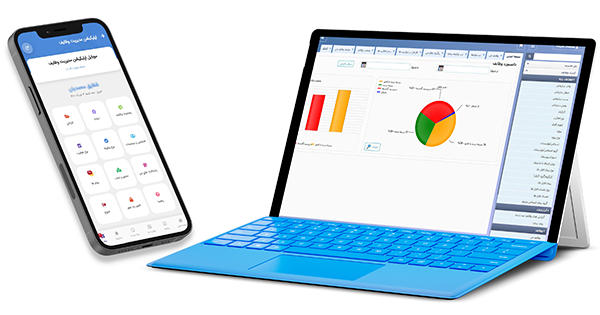
اپلیکیشن برنامه ریزی و مدیریت پروژه تَسکینو
اپلیکیشن برنامه ریزی تَسکینو بهترین ابزار فارسی زبان برای مدیریت پروژه های سازمان میباشد که با بکار گیری آن میتوانید وظایف مربوط به پروژه را با در نظر گرفتن مهارت های پرسنلتان، ارجاع دهید. همچنین می توانید از مقدار زمانی که برای هر بخش از پروژه صرف شده آگاه شوید و در صورت نیاز تغییرات مورد نیاز را ایجاد نمایید. علاوه براین با اپلیکیشن مدیریت پروژه تَسکینو در پایان هر پروژه می توانید اعضای تیمتان را بر اساس عملکردی که طی پروژه داشتند ارزیابی کرده و پاداش هایی برای آنها در نظرداشته باشید.در واقع اپلیکیشن مدیریت و برنامه ریزی پروژه تَسکینو دقیقا همان ابزاریست که هر مدیری برای کنترل فعالیت های سازمان و پیشبرد پروژه ها به آن نیاز دارد. ابزار هایی مانند Base camp، nTask Nation و Asanana از زبان فارسی پشتیبانی نمی کنند و به همین منظور برای سازمان های داخلی ناکارآمد می باشند زیرا افراد را دچار سردرگمی می کنند. امکانات و قابلیت های اپلیکیشن تَسکینو به ذکر زیر میباشد:
- قابل نصب و پیاده سازی در پلتفرم های اندروید،IOS و وب دسکتاپ
- امکان ثبت پروژه های سازمان
- ثبت وظیفه برای پرسنل و اعضای تیم
- زمانبندی وثبت یادآور برای وظایف
- امکان ثبت پیگیری بر روی وظایف انجام شده
- ارزیابی عملکرد دوره ای پرسنل طی پروژه های مختلف
- مدیریت و نظارت بر فعالیت های شخصی و تیمی
- رابط کاربری فارسی زبان،ساده و در این حال حرفه ای

اهمیت مدیریت صحیح وظایف و کارها
اپلیکیشن برنامه ریزی و مدیریت کار سیستمی جامع جهت شناسایی، ردیابی و تکمیل کار میباشد. فرایند مدیریت وظایف شامل ردیابی پیشرفت کار از ابتدا تا تکمیل، تعیین ضرب الاجل و تفویض وظایف به اعضای تیم میباشد و با تقسیم پروژه ها به وظایف کوچک تر و فرعی تضمین می کند که پروژه ها تا حد امکان روان اجرا شوند.
برنامه ریزی و مدیریت صحیح وظایف و فعالیت ها
آیا برای انجام وظایف کاریتان عجول هستید و میخواهید آنها هرچه سریعتر به ثمر برسانید؟ اگر احساس میکنید که کارهایتان اکثر اوقات به تعویق میوفتد و نمی توانید در زمان مشخص شده آن ها را تکمیل نمایید، می بایست کارهایتان را به طور منظم برنامه ریزی و مدیریت نمایید و بدانید چه کاری از اولویت بیشتری برخوردار می باشد. بدون سازماندهی کارهای روزانه، نمیتوانید روزی متعادل داشته باشید و علاوه براین از سبک زندگیتان لذت نخواهید برد. چگونه کارهایمان را مدیریت کنیم؟ چه مواردی را هنگام مدیریت و برنامه ریزی کارها باید رعایت نمود؟ ابزارها و روش های متعددی در این زمینه وجود دارد و ما در ادامه با کارآمد ترین روش ها آشنا خواهیم شد.

مدیریت کارهای روزانه چیست و چه مراحلی دارد؟
معمولا از شروع تا پایان روز، در کل ساعات مشغول انجام کارها و وظایف روزانه خود هستیم. از ورزش کردن و سرکار رفتن گرفته تا کتاب خواندن و به بانک رفتن، همه این ها فعالیت هایی هستند که به روز شما رنگ و بویی تازه می دهد. بکارگیری برنامه ریزی دقیق برای مدیریت فعالیت های روزانه به ما کمک میکند اهداف و کار های خود را اولویت بندی کرده و علاوه براین چارچوبی برای افزایش بهرهوری ما ارائه میدهد. بنابراین مدیریت و برنامه ریزی کارها امری ضروری می باشد.

مشخص کردن مقدار زمان مورد نیاز
اولین مرحله ای که در مسیر برنامه ریزی و مدیریت کارهای خود باید انجام دهید تعیین مقدار زمانی است که در روز برای هریک ازفعالیت های خود نیاز دارید.این مرحله با توجه به اهداف زندگی و زمینه کاری هر فرد متفاوت می باشد.
دسته بندی کارها بر اساس اولویت آنها
پس از مشخص کردن زمان مورد نیاز برای فعالیت ها، حال نوبت به دسته بندی کارها براساس اولویت آنها می باشد. این نوع فعالیت ها، کارهایی هستند که مهم تر و ضروری تر از کارهای دیگر می باشند. علاوه براین برای کارهای ضروری می بایست ساعتی جدا مشخص نمایید. زمانی که انتخاب می کنید بهتر است تایمی باشد که دارای بازدهی بیشتری هستید. بعضی از افراد اول وقت راحت و با حوصله تر می¬توانند کارهای مهم خود را انجام دهند برخی دیگر در شب انرژی بالاتری دارند.
تحلیل کارهایی که باید انجام دهید
در این مرحله باید فرایند فعالیت های خود را مورد بررسی قرار دهید. این بدان معناست که نگاهی به برنامه کل روز خود بیندازید و زمانی برای استراحت و اوقات فراغت خود در نظر بگیرید. اگر زمان کافی نداشتید می بایستی روند کل کارتان را مورد بررسی قرار دهید و مشکل را دریابید. علاوه براین می توانید برای برای استفاده بیشتر از زمان خود بعضی از کارها را به پرسنلتان واگذار کنید. اگر بازهم زمان کافی برای انجام کارهای دیگرتان نداشتید نیاز دارید که برنامه ریزی خود را تغییر داده و مقداری از آن را به روز بعد منتقل کنید.
چنانچه با تکنولوژی بیشتر از کاغذ و قلم راحت هستید، اپلیکیشن ها و نرم افزارهای متعددی برای مدیریت و برنامه ریزی کارها وجود دارد؛ اما هر یک از این اپلیکیشن ها مشکلات بخصوص خود را دارند. به طور مثال ابزار مدیریتی Trello برای کاربران فارسی زبان مناسب نمیباشد، زیرا در صورتی که به زبان انگلیسی تسطل کافی نداشته باشید عملا کار با اپلیکیشن و فرایند مدیریت و برنامه ریزی سخت تر خواهد شد. اپلیکیشن تَسکینو به عنوان بی نقص ترین اپلیکیشن برنامه ریزی فارسی زبان یکی از ابزارهای بسیار مفید حوزه برنامه ریزی و مدیریت کارها می باشد. در ادامه با امکاناتی که اپلیکیشن تَسکینو در اختیارتان می گذارد، آشنا می شویم.
اپلیکیشن مدیریت و برنامه ریزی کارهای تَسکینو
اپلیکیشن برنامه ریزی تَسکینو به شما و پرسنلتان کمک می کند تا کارهای روزانه و پروژه های سازمانی را مدیریت کنید و کارایی و بهره وری سازمان خود را به طور چشم گیری افزایش دهید. همانطور که می دانید دسترسی به اطلاعات لازم به صورت یکپارچه، برای سازمان های کوچک و بزرگ نیز از اهمیت بالایی برخوردار می باشد. با بکارگیری اپلیکیشن تَسکینو می توانید وظایف مختلف پروژه های سازمانتان را تعیین کرده و با مشخص کردن تاریخ و زمان سررسید به پرسنلتان ارجاع دهید. علاوه بر این فعالیت هایی که خارج از وظایف ارجاع شده انجام شده را در بخش سایر فعالیت به صورت گزارش کار روزانه ثبت نمایید. این امر در مشخص شدن میزان حجم کاری پرسنل و تقسیم صحیح و عادلانه کار نقش بسزایی خواهد داشت.
اپلیکیشن مدیریت کارها و برنامه ریزی روزانه تَسکینو در سه نسخه اندروید،ios و Web Desktop قابل پیاده سازی می باشد. برای آشنایی بیشتر با محیط اپلیکیشن کاربران می توانند به مدت 3 روز از کلیه امکانات اپلیکیشن تَسکینو استفاده نمایند. پس از اتمام مدت زمان اشتراک 3 روزه، امکاناتی مانند ثبت فعالیت ها و گزارش کار روزانه، ثبت موقعیت مکانی و حضور غیاب آنلاین و یادداشت ها همچنان به صورت رایگان بدون پرداخت مبلغ اشتراک در اختیار کاربران خواهد بود.
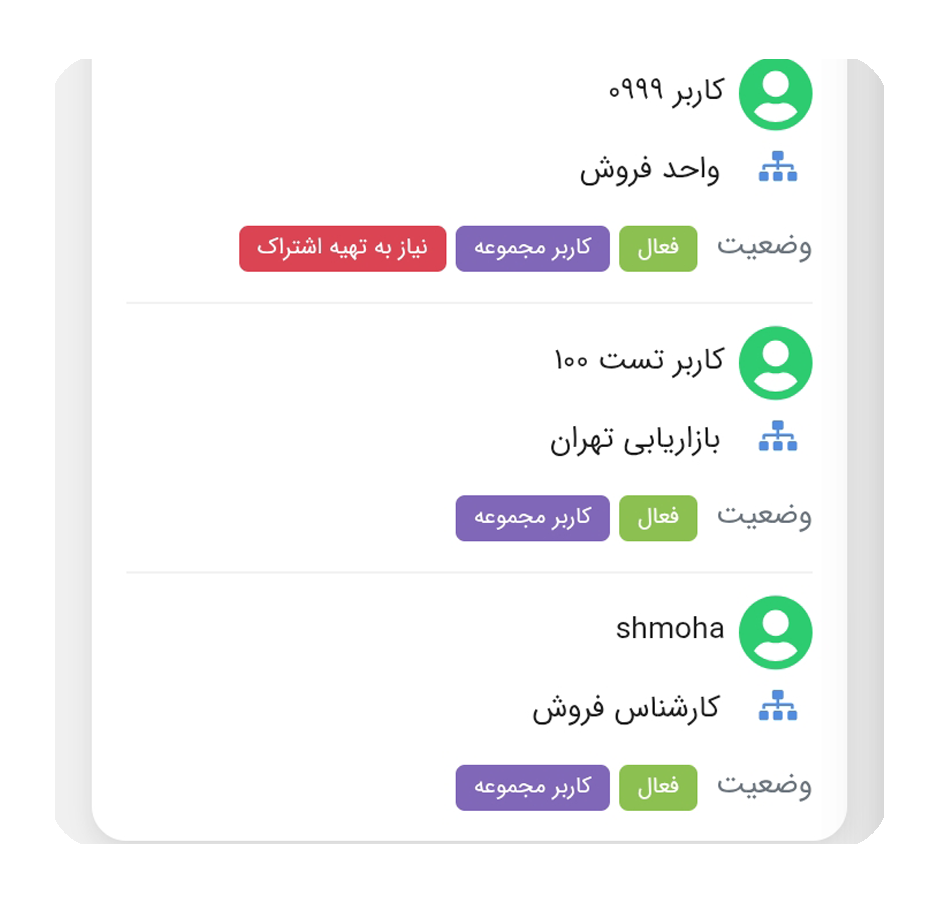
مدیریت تیم فروش با اپلیکیشن تَسکینو
استفاده از اپلیکیشن های مدیریت فروش یکی از بهترین روش ها برای مدیریت چرخه فروش هر سازمانی می باشد و بسیاری از شرکت ها برای برندسازی، جذب مشتریان، مدیریت فعالیت ها و گردش کار روزانه و افزایش کارایی استفاده می کنند. امروزه با توجه به فراگیر شدن استفاده از تلفن های همراه هوشمند و طراحی و تولید میلیون ها اپلیکیشن کاربردی برای کاربران تلفن های همراه هوشمند، اکثر سازمان ها از اپلیکیشن ها برای مدیریت و نظارت بر تیم های فروش خود استفاده می کنند. با این وجود برخی از سازمان ها هنوز از روش های قدیمی قلم کاغذی استفاده میکنند و به صورت دستی اطلاعات را برای تولید گزارشات ادغام می نمایند. ثبت داده های مورد نیاز به روش قلم و کاغذ صرف زمان زیادی را می طلبد و چالش های زیادی به همراه خواهد داشت.
گاهی اوقات ممکن است گزارشاتی که با روش قلم و کاغذ ثبت می شوند حتی نادرست باشند و فرایند گزارش دهی به مدیریت کندتر می شود و در نهایت باعث ضرر می شود. مدیریت فروش نقش مهمی در رشد شرکت دارد و استفاده از یک اپلیکیشن برای مدیریت اعضای تیم فروش بسیار ضروری می باشد زیرا چنین اپلیکیشنی می تواند فرآیندهای شما را سازماندهی کند و در آخر منجر به برتری شما نسبت به رقبایتان شود. در ادامه این مطلب به اینکه چگونه شرکت ها با بکارگیری اپلیکیشن مدیریت تیم فروش به موفقیت می رسند، می پدازیم.
ثبت و گردآوری اطلاعات مربوط به تیم فروش
از دست دادن داده های تیم فروش به معنای افت درآمد سازمان می باشد. با بکارگیری اپلیکیشن مدیریت فروش، احتمال خطای انسانی و از دست دادن هرگونه اطلاعات به مقدار بسیار زیادی کاهش می یابد. با استفاده از اپلیکیشن مدیریت تیم فروش، به محض اینکه یکی اعضای تیم فروش اطلاعاتی را به سیستم خود اضافه کنند، در دسترس بخش مدیریت و سایر اعضای تیم فروش قرار خواهد گرفت.

حذف ثبت دستی اطلاعات
ثبت اطلاعات به صورت دستی می تواند خسته کننده و وقت گیر باشد و در بعضی مواقع اطلاعات ثبت شده در دسترس نباشند. تغییر روش ثبت دستی به برنامههای گزارش دهی خودکار بسیار ضروریست تا سازمان ها بتوانند از زمان خود در سایر کارهای مهمتر استفاده نمایند.
ارزیابی عملکرد تیم فروش
با بکارگیری اپلیکیشن مدیریت فروش، مدیر سازمان میتواند عملکرد اعضای تیم فروش خود را نسبت به یکدیگر ارزیابی و بررسی نماید. در سازمان های بزرگ با تعداد زیادی از پرسنل فروش، ارزیابی عملکرد هر فرد می تواند طاقت فرسا باشد. با استفاده از اپلیکیشن مدیریت تیم فروش می تواند به طور خودکار اعضای تیم فروش را بر اساس میزان فروش آنها مورد ارزیابی قرار دهید. بنابراین مدیر سازمان می تواند با حذف پرسنلی که عملکرد ضعیف تری دارند، در هزینه ها صرفه جویی کنند.
افزایش درآمد شرکت
مدیران سازمان با استفاده از اپلیکیشن مدیریت تیم فروش توانسته اند کسب و کار خود را رونق دهند. شرکتهایی که قبلاً نگران ورود به بازارهای جدید یا استخدام فروشندگان بیشتر بودند، اکنون اعتماد به نفس بالا تری دارند، زیرا گزارشهای سیستماتیک تیم فروش، از آنها حمایت میکند تا کسبوکارشان را توسعه دهند.
تحلیل نیازهای بازار
چه کسی به جز فروشنده می تواند ایده بهتری در مورد بازار داشته باشد؟ یک کارشناس فروش روندها، مشکلات، چالشها و الزامات را بهتر میشناسد و با استفاده موبایل اپلیکیشن مدیریت فروش، میتواند تحلیل های خود را درلحظه گزارش کند، که در نهایت می تواند به طور خودکار ادغام شود تا بینش خوبی ارائه دهد و به تجزیه و تحلیل بازار کمک کند و در نهایت منجر به ایجاد استراتژی های بهتر شود.
بهبود همکاری تیمی
هر ساعت برای تیم فروش مهم است زیرا اعضای تیم فروش هستند که باعث می شوند شرکت شما در بازار بایستد و اتلاف زمان آنها می تواند هزینه بالایی داشته باشد. استفاده از موبایل اپلیکیشن مدیریت فروش باعث صرفه جویی قابل ملاحظه ای در زمان می شود، زیرا تمام اطلاعات مورد نیاز یک فروشنده می تواند در لحظه از طریق اپلیکیشن مدیریت تیم فروش نمایش داده شود. همکاری تیمی بهتر می تواند به تصمیم گیری سریعتر و رشد شرکت کمک کند.
اپلیکیشن فارسی زبان تَسکینو، جایگزین ترلو
اپلیکیشن های تَسکینو و ترلو دو ابزار قدرتمند در زمینه مدیریت و برنامه ریزی وظایف محسوب میشوند. هر یک از این اپلیکیشن ها قابلیت های بسیاری برای مدیریت وظایف و برنامه ریزی کارهای روزانه در اختیارتان می گذارند. در ادامه این مطلب به مقایسه قابلیت ها و نحوه برنامه ریزی بین اپلیکیشن تَسکینو و ترلو می پردازیم تا تصمیم گیری برای استفاده از هرکدام برایتان آسان شود.

اپلیکیشن برنامه ریزی فارسی زبان تَسکینو
تکمیل وظایف و کارهای روزانه درکنار کلی فعالیت دیگری که در روزهای به خصوص به اتمام می رسانیم بدون برنامه ریزی و بکار گیری اپلیکیشنی مناسب و فارسی زبان دشوار می باشد. حتی اگر شخصی باشید که در لحظه زندگی می کنید و برای کارهای شخصیتان به برنامه ریزی نیاز ندارید، برای انجام کارها و پروژه های سازمانی مجبورید هر یک از فعالیت های آن را به طور منظم برنامه ریزی و مدیریت کنید. اپلیکیشن برنامه ریزی و مدیریت کارهای تَسکینو برای سازمان هایی که حجم کاری زیاد باعث از قلم افتادن برخی از فعالیت هایشان می شود، بسیار کارآمد و مفید واقع شده است. اپلیکیشن تَسکینو در سازمان های مختلف، تیم های فروش و ارائه خدمات و تولید محتوا از اقبال خوبی برخوردار شده است. طبیعتا حجم بالای وظایف و فعالیت ها در سازمان های کوچک و بزرگ منجر به چالش های متعددی در برنامه ریزی می شود و در نهایت پرسنل سازمان به جای پیشبرد فعالیت های پروژه، می بایستی زمان خود را صرف رفع اختلاف نظرهای پیشآمده و برنامه ریزی مجدد کنند.
مشاهده وضعیت وظایف
بخش وضعیت وظایف در اپلیکیشن برنامه ریزی تَسکینو امکان مدیریت فعالیت ها به روش کانبان را برای شما ایجاد می کند. نمودار وظایف در یک نگاه به شما نشان میدهد چه وظایفی ناتمام، کدام یک در حال اجرا و کدام یک انجام شده می باشد. علاوه براین با استفاده از بررسی نمودارهای وضعیت وظایف قادر به اولویت بندی وظایف بر اساس میزان اهمیت آن ها می باشید.
اپلیکیشن ترلو؛ مدیریت کار بر پایه کارت ها
برای افرادی که از اپلیکیشن های مدیریت وظایف و برنامه ریزی کارتی استفاده نکردند، ممکن است ابتدای کار کمی پیچیده به نظر برسد. اما با یک توضیح ساده پرسنلتان آگاه می شوند که روش کار چگونه است. مراحل مدیریت وظایف و کارها در اپلیکیشن ترلو:

ایجاد ستون برای مدیریت پروژه
روش کار در اپلیکیشین ترلو بسیار ساده می باشد تنها لازم است کارهای مربوط به هر ستون را ایجاد و ثبت نمایید. سپس ناظر هر وظیفه را در بخش مربوطه اضافه میکنید.
مزایای کار با اپلیکیشن ترلو
استفاده از ابزارهای مدیریتی مانند ترلو به شما این قابلیت را می دهد تا در هر زمانی از روز بتوانید برای وظایف های خود برنامه ریزی منظمی داشته باشید تا کاری را فراموش نکنید. مزایای اپلیکیشن مدیریت وظایف ترلو:
در اپلیکیشن ترلو به آسانی می توانید، برای وظایفتان چک لیست ثبت نمایید. برچسب گذاری، اشارات و بسیاری از قابلیت های دیگر برای برنامه ریزی و مدیریت وظایف در این اپلیکیشن در اختیار شما می باشد. گزینه های مختلف، تصاویر و برچسب های رنگی، بصری سازی وظایف مربوط به هر یک اعضای تیم به تکمیل وظایف کمک می کند. با همه ی این امکانات، ممکن است اپلیکیشن ترلو برای سازمان های داخلی ناکارآمد باشد، زیرا از زبان فارسی پشتیبانی نمی کند و پرسنل برای کار با چنین اپلیکیشنی می بایست به زبان انگلیسی مسلط باشند.
جمع بندی
اپلیکیشن مدیریت وظایف و برنامه ریزی تَسکینو دارای رابط کاری فارسی زبان، ساده و در عین حال حرفه ای در سیستم عامل های اندروید و ios و نسخه وب مخصوص دسکتاپ قابل پیاده سازی می باشد. با اپلیکیشن مدیریت وظایف تَسکینو به آسانی می توانید برنامه ریزی و کارها و وظایفتان را به صورت روزانه و یا دوره ای، با امکان زمان بندی در هر مکانی با استفاده از تلفن همراه خود ثبت نمایید. قابلیت ارسال نوتیفیکشن درون برنامه ای و پیامک اطلاع رسانی در اپلیکیشن برنامه ریزی تَسکینو، حتی در زمانی که به اینترنت دسترسی ندارید، از فراموشی وظایف و از دست رفتن برنامه ریزی جلوگیری می کند.
